MUSCLE SIMULATOR Mobile Guide
Play MUSCLE SIMULATOR smoothly on phone and tablet.
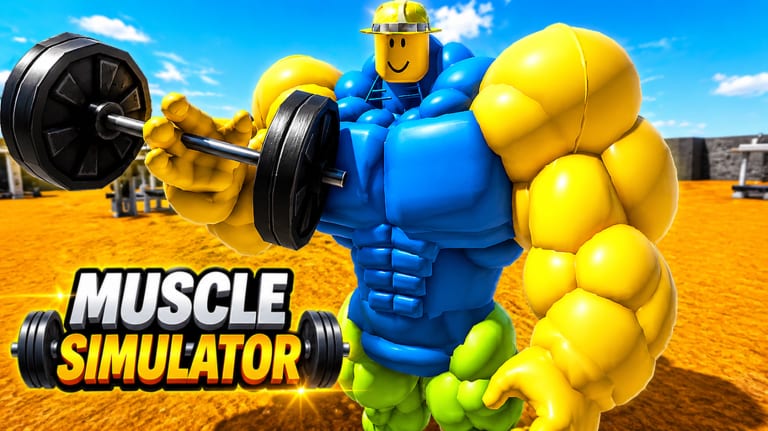
MUSCLE SIMULATOR [REMAKE] runs on mobile Roblox clients, not just PC—important for the 2.3M+ visits audience where many players discover muscle sims on phones first. Touch controls differ from mouse clicks, crowded Summer event shards lag harder on older devices, and king platform chaos is worse without Shift Lock. This guide covers mobile lifting inputs, performance tweaks, safer zone routing, and how to avoid ban-risk “mobile scripts” that do not work against Remote Events Protected anyway.
Mobile controls basics
Roblox mobile maps interact to on-screen buttons or tap-to-act depending on experience UI. For weight training, you typically tap and hold the interact prompt near a rack, or repeatedly tap when the classic design expects click spam. Open Controls for the full PC vs mobile comparison—many remake layouts mirror the original tap rhythm.
Camera: drag with one finger to look around racks; pinch zoom if supported. Without Shift Lock, strafe carefully near King of the Server arenas so giants do not knock you off platforms.
Jump and move: use the virtual thumbstick; avoid sprinting through crowded spawn during peak CCU near 502 concurrent users on busy days.
Touch lifting tips for faster Strength
Anchor your thumb on the interact zone before reps start—hunting the button each lift wastes time compared to PC mouse muscle memory.
Pick wider platforms on Training Zones low-tier lawn where avatar collision is forgiving. Mid-bridge paths are narrower and harder on small screens.
Reduce camera spin while lifting; keep a fixed angle on the weight bar so the interact prompt stays visible.
Use headphones if restored lift audio helps you time reps—confirmed working on the remake per Remake vs Original.
Take breaks to prevent mis-taps that look like ability spam near PvP zones.
Performance and graphics settings
Mobile framerate drops when Summer event crowds pack spawn and new Map Extension areas. In Roblox settings:
- Lower graphics quality one notch if lifts stutter.
- Disable heavy post-processing if your device overheats during long grinds.
- Close background apps before sessions targeting Global Leaderboards ranks.
Switch to a lower-population server if frame time spikes—lag causes missed interacts, not just annoyance.
Safer zones on phone
Spawn lawn and side platforms: best for beginners following Getting Started. Fewer ability-spam players, flat terrain, easy camera.
Avoid king throne rings until your Strength matches contenders—mobile players lose duels more often due to camera and movement limits.
Map extension routes: when unlocked, test extension pads during off-peak hours; new areas may crowd during June 20 – August 23, 2026 event weeks.
VIP areas if you own the pass—sometimes less chaotic, though not required for progression (Game Passes).
Mobile and Game Passes
X2 SPEED (79 Robux) saves more time on mobile because walking with a thumbstick is slower than keyboard WASD. DOUBLE WEIGHT (99 Robux) helps when small UI makes tier transitions awkward. Use Pass Picker before buying on phone impulse. Passes are legit; executors are not—exploiting results in a permanent ban (Stay Safe).
What not to do on mobile
Do not install modded Roblox APKs promising auto-lift. Do not paste script URLs from Autofarm Scripts into mobile executors—protected remotes block gains and flag accounts.
Verify you joined Place 89083064385572 via Same Name Games before spending Robux on the wrong copy.
Pair mobile play with wiki tools
Strength Checklist works in mobile browsers between sessions. Codes Hub lists zero verified active codes—ignore pop-up scam sites on mobile Safari or Chrome.
Related guides
- Controls — detailed input reference
- Training Zones — phone-friendly farming loops
- Stay Safe — ban policy and scripts
- How to Get Strong Fast — efficiency regardless of platform
Mobile session planner
Warm up on spawn lawn for two minutes, then walk one mid-bridge loop before attempting extension pads. If FPS dips below playable, leave the crowded king ring and farm side ledges. Re-check Training Zones after any July Patch map note.
Mobile vs PC goals
Phone players can still chase Global Leaderboards with patient routes and X2 SPEED. Do not assume PC scripts will “port”—Stay Safe applies equally. Keep Place 89083064385572 bookmarked from Same Name Games.
Frequently Asked Questions
Quick answers for MUSCLE SIMULATOR on Roblox.
Can I become King of the Server on mobile?
Yes, but camera and movement make contests harder. Farm Strength first on safer zones.
Does X2 SPEED help mobile more than PC?
Often yes, because thumbstick travel is slower than keyboard movement.
Are mobile autofarm apps safe?
No. They violate Roblox ToS and risk permanent ban on protected remotes.
Best zone for phone beginners?
Spawn lawn and adjacent low-tier platforms with flat terrain.