MUSCLE SIMULATOR Controls
PC and mobile inputs for lifting, moving, and flexing in the remake.
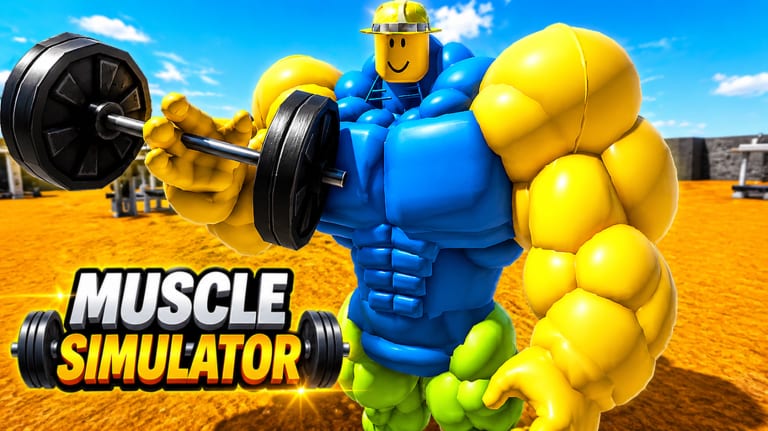
Smooth controls separate efficient Strength farmers from players who fight the camera every other rep. MUSCLE SIMULATOR on Roblox uses standard platform inputs with classic muscle-sim interactions layered on top. This page documents what you need on PC and mobile for place 89083064385572, links to progression guides, and notes how X2 SPEED (79 Robux) changes movement—not lifting buttons themselves.
PC controls (keyboard and mouse)
Movement: W A S D to walk; hold Shift to sprint if the remake enables default Roblox shift lock sprint behavior in open areas. Jump: Space. Camera: hold right mouse button and drag, or use arrow keys if enabled in Roblox settings.
Lifting: approach a weight station and click the weight or press E / F when the proximity prompt appears—exact key depends on the developer’s ContextAction binding, but Roblox muscle sims traditionally use E or click-to-interact. Complete the lift minigame or hold-click cycle as shown on screen.
UI menus: click Codes, Shop, or Game Pass buttons on the HUD. Game Pass purchases open Roblox’s overlay—confirm DOUBLE WEIGHT, X2 SPEED, or VIP there.
Shift Lock: enable Roblox Shift Lock (Settings → Shift Lock Switch) to keep your avatar facing weights while strafing—many veterans prefer this for repetitive sets.
Mobile controls (touch)
Movement: use the left virtual thumbstick. Jump: tap the jump button on the right cluster. Camera: drag anywhere on the screen not occupied by UI buttons.
Lifting: tap the weight or the on-screen action button when the interact prompt shows. Some devices require tapping twice—once to grab, once to rep—mirroring classic mobile muscle sim layouts.
UI: icons may shrink on phones; rotate to landscape if supported for wider button spacing. Lower graphics in Roblox settings if lifts desync due to frame drops.
Console and gamepad notes
If Roblox maps gamepad on your platform, interact is typically X / A equivalent and movement uses sticks. Shoulder buttons may swap camera; check Roblox’s gamepad menu. Sensitivity tweaks live in Roblox settings, not inside MUSCLE SIMULATOR.
Controls that affect grinding speed
Movement speed is where X2 SPEED shines— you reach the next rack faster between sets. DOUBLE WEIGHT affects what you can carry or lift, not keybinds. Neither pass replaces learning interact timing; mis-tapping still wastes reps on mobile.
Audio cues returned in the remake—listen for success sounds when unsure a rep registered (Remake vs Original).
Accessibility and comfort
Increase Roblox UI scale for larger buttons if you play on a tablet. Take breaks to avoid repetitive strain during long How to Get Strong Fast sessions. PC players can remap nothing inside the experience, but Roblox-level mouse sensitivity helps camera comfort.
Common control problems
If interact prompts never appear, you may be on the wrong side of the weight mesh or above your Strength tier—see Weights Unlock Guide. If inputs feel delayed, switch servers or lower graphics. Do not install autoclickers or macro scripts—exploiting results in a permanent ban and Remote Events Protected blocks many automations.
Related guides
- Getting Started — first lifts after learning inputs
- Training Zones — where to walk once controls feel natural
- Game Passes — X2 SPEED movement benefits
Camera and UI habits for faster reps
Reset camera behind your avatar before each set on PC. On mobile, pinch-zoom once per zone so interact prompts stay visible. Hide unrelated Roblox UI overlays if they block weight clicks. If X2 SPEED makes you overshoot racks, tap movement instead of holding forward—precision beats raw speed between close platforms listed in Training Zones.
Additional notes for Controls
This page stays aligned with MUSCLE SIMULATOR [REMAKE] on place 89083064385572 (Universe 9961640495). Core loop: lift weights, get huge, become King of the Server. Official passes include DOUBLE WEIGHT (99 Robux), X2 SPEED (79 Robux), and VIP. Exploiting results in a permanent ban; Remote Events Protected blocks script shortcuts. Codes Hub lists zero verified active codes. Cross-read Guides Hub, Tier List Hub, Weights Hub, Map Hub, Tools Hub, Updates Hub, Scripts Hub, Official Links, and Review for the full wiki picture.\n\n## Why this matters for Controls\n\nUse this page as a living checklist for the remake on place 89083064385572. When something changes in-game, re-read the linked hubs above instead of trusting outdated clone guides from other Muscle Simulator titles.
Frequently Asked Questions
Quick answers for MUSCLE SIMULATOR on Roblox.
What key lifts weights on PC?
Usually E or F on proximity prompt, or click the weight directly. Watch the on-screen hint when you stand close.
Does X2 SPEED change lift speed?
It boosts movement speed between weights. Rep speed still depends on your tier and animations.
Can I use macros for lifting?
No. Macros and autoclickers count as exploiting and risk permanent bans.
Why is mobile lifting inconsistent?
Often lag, small buttons, or mistaps. Try landscape, lower graphics, or Shift Lock-equivalent camera habits.