How to Redeem MUSCLE SIMULATOR Codes
Redeem promo codes safely on the official remake without exploits or typos.
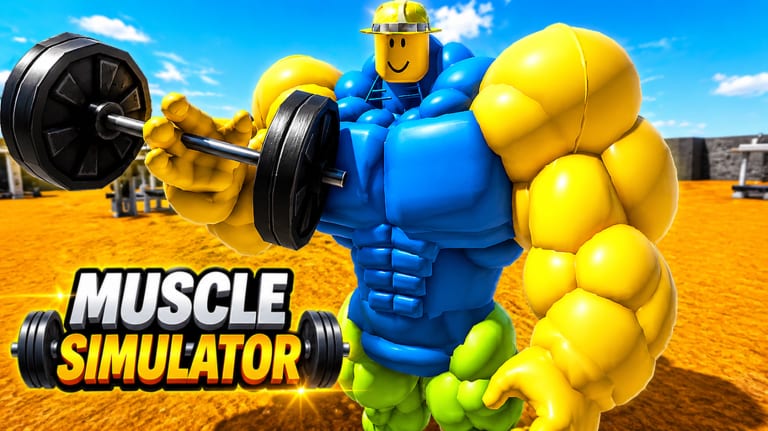
Redeeming codes in MUSCLE SIMULATOR should take less than a minute when you use the official Roblox client and a verified promo string. This guide covers PC, mobile, and console-style play, explains where the codes menu usually lives in classic muscle sim layouts, and links back to the Codes Hub for the current list. Remember: as of our last check, there are zero verified active codes—this page teaches the process so you are ready when the developers publish one.
Before you start
Confirm you are playing the correct experience. The official remake uses place ID 89083064385572 and Universe 9961640495, developed by MUSCLE SIMULATOR [REMAKE]. Open it from the official Roblox game page rather than a re-upload or typo copy. Using the wrong place is the most common reason players think a valid code is broken.
Log into the Roblox account that should receive rewards. Codes bind to the account that redeems them, not a guest session. If you use multiple profiles on one device, double-check which avatar is active before typing anything.
Step-by-step redemption (PC)
Launch MUSCLE SIMULATOR from Roblox Player or the desktop app. Wait until your character spawns in the main training area—do not redeem during loading screens.
Look for a Codes button, gift icon, or settings cog on the side of the screen. Classic muscle sim remakes often place it on the left or top bar. Click it to open the text field.
Type the promo code exactly as published: matching capitalization, no extra spaces, no smart-quote characters copied from social media. Paste carefully if you copy from our Codes Hub once we list an active code.
Press Redeem, Enter, or the confirm button. A success message should describe the reward—extra Strength, currency, or a timed boost depending on the promo. If nothing happens, see Codes Not Working.
Step-by-step redemption (mobile)
Open the Roblox app, search for MUSCLE SIMULATOR, and join the official place. Mobile UI scales buttons smaller; swipe or tap the arrow menus if you do not see Codes immediately.
Tap the codes entry, use the on-screen keyboard, and avoid autocorrect changes—many codes mix letters and numbers. Submit and watch for a toast or chat notification confirming the reward.
Mobile players grind Strength on the go; pairing redemption with our Controls guide helps you adjust camera and lift inputs after claiming boosts.
What rewards look like
Remake rewards vary by promo. Some codes grant one-time Strength, others temporary multipliers or cosmetic flex items. They are separate from Game Passes like DOUBLE WEIGHT (99 Robux), X2 SPEED (79 Robux), and VIP, which persist on your account. Read the redemption popup carefully so you know whether a boost is permanent, session-only, or timed.
Safety rules
Never enter codes on third-party websites that ask for your Roblox password. Real redemption happens inside the game only. Exploiting results in a permanent ban on this remake, and Remote Events Protected means unauthorized tools cannot safely automate redemption. Ignore videos that claim secret codes requiring executors.
After redeeming
Spend new Strength on the next weight tier using the Weights Unlock Guide. If a code granted speed or carry bonuses, test them against our Tier List for Game Passes to see whether a pass still worth buying. Track seasonal promos on Summer Update and the Summer Event guide.
Related codes pages
- Codes Hub — verified active list (currently empty)
- Codes Not Working — fix invalid, expired, or error states
Redemption timing tips
Redeem immediately after official posts—Roblox caps can expire quickly. Finish your current lift set before opening the codes menu so timed Strength boosts are not wasted idle in UI. If rewards fail to show, rejoin a public server once. Screenshot success popups if support asks. Codes bind per account, not per party.\n\n## Why this matters for How to Redeem Codes\n\nUse this page as a living checklist for the remake on place 89083064385572. When something changes in-game, re-read the linked hubs above instead of trusting outdated clone guides from other Muscle Simulator titles.
Frequently Asked Questions
Quick answers for MUSCLE SIMULATOR on Roblox.
Is there a codes button in MUSCLE SIMULATOR?
Yes in most classic layouts—a Codes or gift icon on the main UI. If an update moves it, check patch notes on our Updates hub.
Why does my code say invalid when the wiki listed it?
The promo may have expired, you may have a typo, or you might be on the wrong place ID. Confirm 89083064385572 and re-copy the string.
Can I redeem codes on a private server?
If the developer enables codes on private servers, yes. If redemption fails only on privates, try a public server once before assuming the code is dead.
Do codes work during the Summer event?
Event-themed codes appear only when officially announced. Follow our Codes Hub and Summer Update page—we add them after verification.